Same card, different method, and it goes throughA step-by-step checklist to recover from a declined overseas payment

Take your hand off the retry button. When an overseas checkout declines you, stop for 30 seconds and confirm three things: did your bank send a blocked-transaction alert, did a verification step fail, and is the billing address wrong. Once you know which one it is, follow the matching branch (notify your issuer, redo 3DS, fix the address, or simply pay another way), and most of the time you'll get through without swapping cards. This is a hands-on playbook for people who are already declined and staring at an error, unsure what to do next. Why declines happen in the first place is covered elsewhere; here we only deal with the moves.
How to use this guide (open the steps)
- First reflex: take your hand off the "retry" button
- Spend 30 seconds confirming three things
- Branch by error type: which one are you on
- The exact wording, and which branch it points to
- A checklist you can tick off
- Checks that look done but aren't
- When to call, when to switch rails
- See these signals, stop right away
- A few questions people ask
First reflex: take your hand off the "retry" button
The second a payment fails, most people instinctively tap "pay now" again, and when that fails too, swap in another card and keep tapping. That's exactly the urge to resist. Your bank's risk control reads "the same card failing several times in a short window" as a fraud signal, so the harder you push, the more it looks like trouble. The result isn't a successful payment; it's a card that gets temporarily locked, taking even the situations that used to work offline with it.
So step one is simple: fail once, stop. Don't immediately retry, and don't rush to delete cookies, switch browsers or restart the router either. None of that changes the outcome, because the decline decision isn't made on your device at all. Spend those 30 seconds working out which gate blocked you; that beats blindly tapping ten times. The rhythm of this whole guide is one line: stop, confirm, follow the branch that matches your error, then try once more after you've fixed the right thing.
Spend 30 seconds confirming three things
No tools needed; your phone is enough. The order here is deliberate, running from the most likely and easiest to fix down to the rest:
- Did your bank react? Unlock your phone and glance at the bank app's notifications and your SMS. If there's a "we detected an overseas transaction and blocked it for you" type of alert, good news: this is the easiest case. The issuer stopped it, and all you have to do is confirm it was really you.
- Did it get stuck at a verification step? Think back to the moment before the decline. Did the page jump to a screen asking for an SMS code or a tap to confirm in your bank app, and then that step never completed (no code arrived, it timed out, you mistyped)? If it stalled there, the problem is 3DS verification, not the card itself.
- Did you enter the billing address correctly? Go back to the checkout page and check the billing address and postal code you typed against the one your issuer has on file. The usual slip is typing the delivery address, or whichever address the browser autofills; if it doesn't match the bank's records, the anti-fraud check blocks the payment.
Run those three and you can usually sort yourself into one category: bank blocked it / verification failed / address mismatch, or none of the three, in which case the merchant probably just won't take your card. The next section follows that sorting and walks each branch through what to do.
Branch by error type: which one are you on
Match the result of the last step against the four branches below and act accordingly. Don't try all four; find the one that fits, change that one thing, and pay again only once.
Bank SMS / app push"A payment abroad on your card didn't match your usual pattern, so we held it for safety."
Stuck after the verification page"3D Secure authentication failed."
Pops up right on the checkout page"Address verification failed."
Notified, address correct, still rejected"Your card was declined."
The exact wording, and which branch it points to
A lot of people reach this page by pasting the sentence their checkout showed into a search box, and that works better than it sounds: the wording usually gives away who said no. These are the lines that come up most, as people copy them, with the party that refused and the branch above that fits.
| What the page said | Who said no | What to do next |
|---|---|---|
| "Unfortunately the payment was declined by your card issuer. Please kindly contact your bank." | Your bankthe merchant only relays it | Branch one. Look for a block alert in the app; if there isn't one, call and quote the time and amount of the attempt. |
| "The transaction was declined by the issuing bank." / "Payment status: declined by issuing bank" | Your bank | Same as the row above. The merchant can't override it, so writing to their support won't move it. |
| "[X000] Please contact your card issuer for assistance." | Your bank, passed on by the merchant's processor | Codes in brackets differ from one processor to the next, so a search rarely decodes them. Note it with the time of the attempt and give both to the bank. |
| "Issuer inoperative or invalid destination card" | No one yetthe bank's system didn't answer | Check the card number first, then allow one calm retry a little later. Stripe's matching code says to try again and contact the issuer only if it keeps failing. |
| "Failed to take payment: AVS CV2 declined" | The merchant's rule on the address and security-code check | Branch three: retype the billing address and CVC exactly. If the card was issued outside the UK, read the note below the table. |
| "Transaction declined due to risk checks. Contact customer support or try other payment options." | The merchant's own fraud screen | Branch four. Your bank can't lift this one; ask the merchant's support, or pay another way. |
| "The payment was refused. Verify your bank details before proceeding with a payment again." | Either side | Recheck the number, expiry, CVC and name first, because a typo produces exactly this line. If they're right, treat it as branch one. |
The help pages for Opayo, a gateway many UK shops use, say two things worth knowing. The address check compares only the numbers in your address and postcode, and AVS can't be checked on overseas orders at all. A merchant whose rules insist on a match can therefore turn away a card issued abroad however carefully you type. The fix there is a different payment method, not a different spelling.
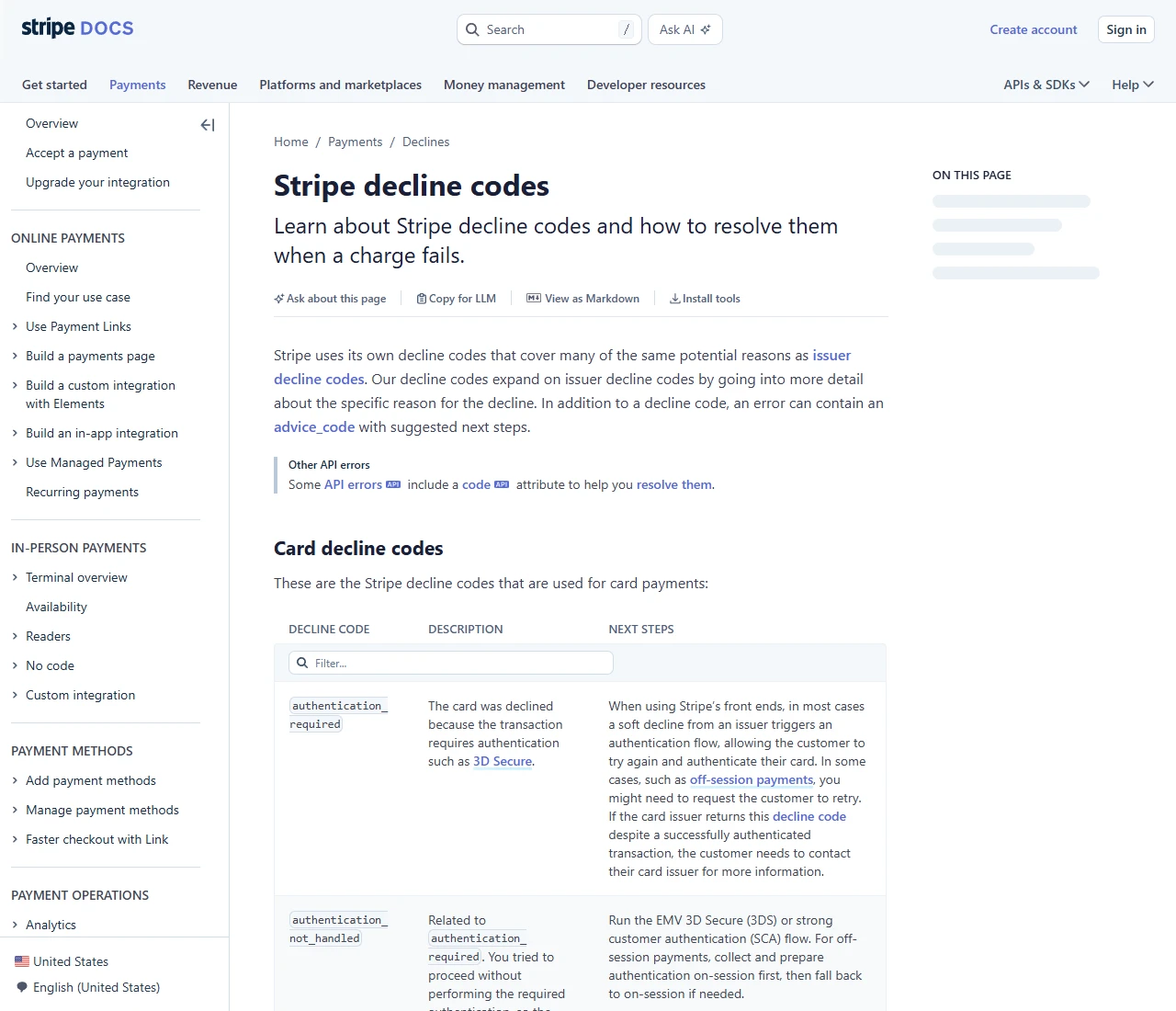
Whatever the wording, copy the exact sentence before you close the tab or press back. Plenty of checkouts show it once and never again, and it's the first thing a bank or a merchant will ask you for. Across the table one pattern holds: a message that sends you to your bank means the merchant has nothing more to give you, and a message about risk checks or rules means your bank has nothing to give you.
A checklist you can tick off
The four branches above are the "what to do". This checklist is the "go through each line before you act". Before you tap pay again, tick every box and only pay once they all pass:
- You've stopped, and have not retried more than two or three times after the decline.
- You've checked the bank app's notifications and SMS, and confirmed whether there's a block alert.
- If there is a block alert, you've followed the prompt to "confirm it's you" or called support to clear this overseas purchase.
- Your phone receives bank verification codes normally, and the app's online-transaction verification is enabled.
- The billing address, city and postal code are the ones on file with your issuer, not mixed up with the shipping address.
- You've confirmed the card itself supports foreign-currency online transactions (some local debit cards aren't enabled for this by default).
- Your network is stable while paying, with no IP-hopping proxy running through the verification page.
- You've already checked whether the site accepts another payment method, keeping a switch-rails fallback ready.
Of these eight, the first five handle "what you can change on your end", and the last three help you judge "whether it's time to swap cards or rails". Run the whole list, then decide whether to retry or try another way.
Checks that look done but aren't
For the same error message, a lot of people push in the wrong direction and waste half a day. These are the traps people fall into most:
- Mistaking the "billing address" for the "shipping address". Checkout pages often have two sections. AVS compares the billing address, not the address you ship goods to. Mix them up and it keeps failing, while you assume it's the card's fault.
- Mistaking a "pre-authorization hold" for "being charged". Some declined transactions leave a pre-auth hold that looks like a charge, but it releases on its own after a few days. Don't panic and pay again, or you may tie up two amounts of your limit.
- Mistaking a "verification timeout" for "card declined". If the verification page sits too long or drops mid-way, it shows a line that reads a lot like a decline, when really the step just never finished. Redo the verification rather than swapping cards.
- Mistaking "the merchant won't take prepaid cards" for "my virtual card is broken". Plenty of subscription sites specifically block prepaid and virtual cards. Swap in another virtual card and it'll be declined too. It isn't the card; this site won't take that type.
Work the checklist in order; don't jump straight to "swap in another card". If the reason is a bank block or a wrong address, one phone call or one address fix sorts it, and swapping cards is pure wasted effort plus another brush with risk control. If the merchant won't take your card, ten more cards of the same type won't help, and the real move is to switch rails. Locate first, then act; that's the wasted effort you save.
When to call, when to switch rails
By the end of your check, there are only two roads: call the bank, or switch to another payment rail. Which one depends on which side your diagnosed cause falls.
If the bank app has a block alert, or you suspect risk control over-blocked, or the verification step never delivers a code, calling the support number on the back of the card is the most direct route. Spell it out: "I want to shop on a specific overseas site, the amount is roughly X, please clear it for me." Often you hang up, pay, and it goes through. This road suits the case where the card is fine and only risk control stood in the way.
If you've already notified the bank, fixed the address and passed verification, and the merchant still won't take it, stop burning time on this card. That usually means it doesn't serve your region or doesn't take your type of card, another card of the same kind will likely be declined too, and the real fix is to switch rails:
- Open a virtual card with its own number to pay with, which suits subscriptions and unfamiliar sites. How to choose one and what to watch for is in A cheaper virtual card isn't the better one. Check these first.
- If the site accepts gift cards or top-up codes (common on app stores, games and some streaming), buying the card to top up is the simplest path.
- When you can't pay for certain AI tools or overseas subscriptions, there are other ways around it, covered in No overseas card? How to pay for AI tools and overseas subscriptions.
Pick a small order you can cancel any time as a "test run" and walk it through this guide's rhythm: stop first, do the 30-second three-check, match a branch and change one thing, then pay. Change only one variable at a time (either the address, or notifying the bank, or swapping cards), so when it works you know exactly which step did it, and the next decline goes straight to the cause. Jot down the step that worked this time; it beats memorizing a pile of theory.
See these signals, stop right away
Two situations call for an immediate stop. This isn't "switch method and carry on"; it's "don't move yet, think first":
One: the same card has been declined several times and you're still tapping pay. Risk control reads dense failures as fraud and may lock the card temporarily, taking even the cards that worked offline with it. Stop after two or three failures, go back to the checklist and start over; don't gamble on a retry.
Two: someone offers to "give me the card number, expiry and CVV and I'll pay for you so it goes through", or tells you to pay an "unlock fee or deposit first" before you can continue. That's a classic scam script, often from someone impersonating support. A legitimate payment never needs your full card details handed to a third party, and there's no such thing as "pay first before you can pay". If you see it, stop and give nothing; this site will never ask you for those details either.
A few questions people ask
- After a decline, can I just retry right away?
- If you've changed nothing, don't retry immediately; the result will most likely be the same, and it can trip risk control into locking the card. The right move is to use this guide to locate the cause, fix one thing (notify the bank, change the address, or complete verification), and then try once more. Retry after fixing, not blind retry.
- I notified the bank and fixed the address, still declined. Is the card dead?
- No. It's more likely the merchant won't take cards from your region or your type of card. The card still works fine elsewhere; this one site just won't take it. At that point, switching to another payment rail is more realistic than fighting with this card.
- If I'm declined, is my money taken?
- A genuinely "declined" transaction doesn't actually charge you. You might see a pre-authorization hold, which usually releases on its own within a few days. If it lingers, contact your issuer to check, and don't pay again just because you see that hold.
- Do I have to call, or can I handle it in the app?
- Many bank apps now let you "confirm it's you" or temporarily clear an overseas transaction right there. If you can tap it through in the app, you don't need to call. Only when the app has no such option, or the situation is hard to explain, fall back to the support number on the back of the card.
Sources to check: this guide gives no specific fees or promises. For the real reason you were declined and how to clear it, rely on the prompt from your issuer's app or support and the payment notes on the merchant's help page; this guide only helps you put the order and the actions straight. Updated 2026-09-12.
References
- Google Pay Help: fix declined transactions
- Stripe Docs: card decline codes
- Opayo (Elavon UK): AVS/CV2 checks
The Google link covers the merchant side of a decline; the Stripe and Opayo pages show the codes and address checks a checkout runs on. Why your issuer stopped this particular charge is a question only your bank can answer.