Sixteen digits are the easy part. The billing address is where it goes wrong.How to use a virtual card: the checkout form, verification codes, holds, phone wallets, renewals and closing it

The card is issued, the app shows sixteen digits, an expiry date and three more digits, and the checkout in front of you has seven boxes. Most first payments with a virtual card fail on the box people think about least: the billing address, which has to be the one the card provider holds, not wherever you happen to live. After that come a verification code sent somewhere you didn't expect, a hold that looks like a second charge, and a renewal that bounces because the card expired before the subscription did. Get those four right and a virtual card behaves like any other card. Get one wrong and it looks broken when it isn't.
What's in this guide (open the outline)
- Five things to look up in the app first
- Filling in the checkout, box by box
- The code that arrives somewhere you didn't expect
- A small charge or a hold, and when it drops off
- Adding it to Apple Pay or Google Wallet
- Keeping a subscription from bouncing at renewal
- Refunds, disputes and the day you close it
- A few questions people ask
Five things to look up in the app first
Before you type anything into a checkout, open the card in the provider's app and find five things. It takes a minute, and between them they account for most first-payment failures. If you haven't picked a provider yet, how to choose one comes before any of this.
- The full card details. Most apps hide the number, expiry and CVC behind a "show details" tap and a fingerprint or face check, with a copy button beside each field. Copy rather than retype; sixteen digits read off one screen and typed into another is where swapped numbers come from.
- The name on the card. Some virtual cards carry your registered name and some carry none. Use the name exactly as the app shows it, in the same order. If it shows nothing, the name on your provider account is the safe choice.
- The billing address on file. It sits in the card's settings or your profile. Some providers use the address you registered with; others assign one address to every card they issue and say so in the app. Whichever it is, that is the address the checkout wants.
- What kind of card it is. Reloadable, single-use (it closes after one charge), or locked to the first merchant that charges it. The kind decides whether it can carry a subscription at all.
- The limits. A cap per payment, a daily cap, merchant categories the provider blocks, and the balance itself. A payment over any one of them fails with a message that rarely names the limit.
If the balance is short, top it up before you open the checkout rather than while the payment page waits; checkout pages time out. Loading with USDT is a chain of steps of its own, set out in funding a virtual card with USDT.
Filling in the checkout, box by box
Checkout forms differ in layout, but the boxes are much the same everywhere. Here is what goes in each, and the mistake each one tends to attract:
| Box | What goes in | The usual mistake |
|---|---|---|
| Card number | The 16 digits from the app, copied | Pasting with spaces into a form that won't take themif it refuses, type them in groups of four |
| Expiry | Month and year exactly as shown | Entering the date the card was created |
| CVC / CVV | The three digits on the card's detail screen | An old onea few providers change it periodically, so use the one showing now |
| Name on card | As the app shows it, in Latin letters | A nickname, or given and family name swapped round |
| Billing address | The address the provider holds for this card | Your delivery address, or your home when the provider holds a different one |
| Postcode / ZIP | Exactly as held, spaces included | A made-up ZIP to get past a form that only takes US ones |
| Country | The country of that billing address | The country you happen to be in today |
The address matters most where address checks exist, which mainly means the US, the UK and Canada. There the merchant sends what you typed to the issuer and gets back a match or a mismatch; in the UK only the numbers in the address and postcode are compared. Elsewhere the check is lighter, but the country box still has to agree with the card's billing address.
Press pay once. Before trying again, open the card's transaction list in the app: many providers record a declined attempt there, sometimes with a reason the checkout never showed you. "Insufficient balance" and "merchant not supported" call for very different next steps; the second usually means the merchant refuses prepaid ranges, which is covered in the page on BIN blocks.
The code that arrives somewhere you didn't expect
Many checkouts now add a second step after you press pay, the 3D Secure check. With a bank card the code comes from your bank. With a virtual card it comes from whoever issued the card, and it goes to the contact details you gave the provider: a text to the phone number on your account, an email, or a prompt inside the provider's app.
Pop-up after you press Pay"Enter the code we sent to your phone ending in 22."
If a merchant insists on the check and nothing appears at all, ask the provider whether its cards take part in 3D Secure. Some prepaid programs don't, and a merchant that requires it will turn them away however many times you retry.
Anyone who asks for the code to "verify", "activate" or "check" your card is after the balance on it. In a genuine payment the code only ever goes into a checkout you opened yourself, or into the provider's own app. Support staff at a real provider never need it.
A small charge or a hold, and when it drops off
Two kinds of charge surprise people new to a card. The first is a verification charge when you save the card somewhere: a zero or tiny authorization that checks the card is live, sometimes gone within minutes, sometimes visible for days. The second is a hold. Hotels, car hire, some subscriptions and a few shops authorize an amount first and collect it later.
Both are authorizations, not payments. The money is set aside and shows as pending, and if the merchant never collects it, the hold lapses. For online card payments Stripe's documentation puts the usual validity at seven days, and its table gives Visa and Mastercard seven days each when the customer starts the payment.
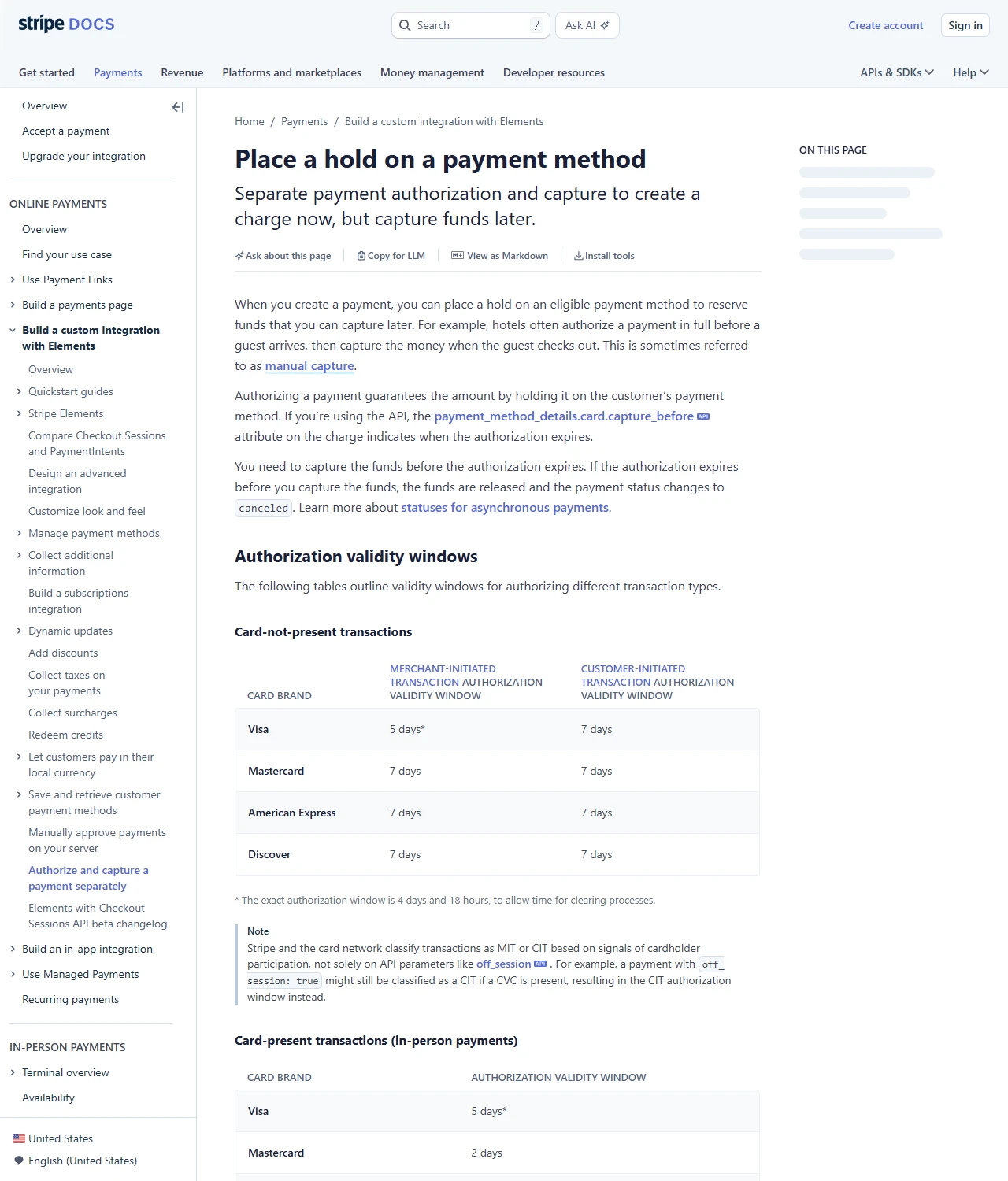
Two consequences matter with a prepaid card. A hold eats balance while it lasts, so a card loaded with exactly the price can fail a second attempt while the first hold is still in place. And some statements don't separate holds from completed payments, so check the status before concluding you paid twice.
Adding it to Apple Pay or Google Wallet
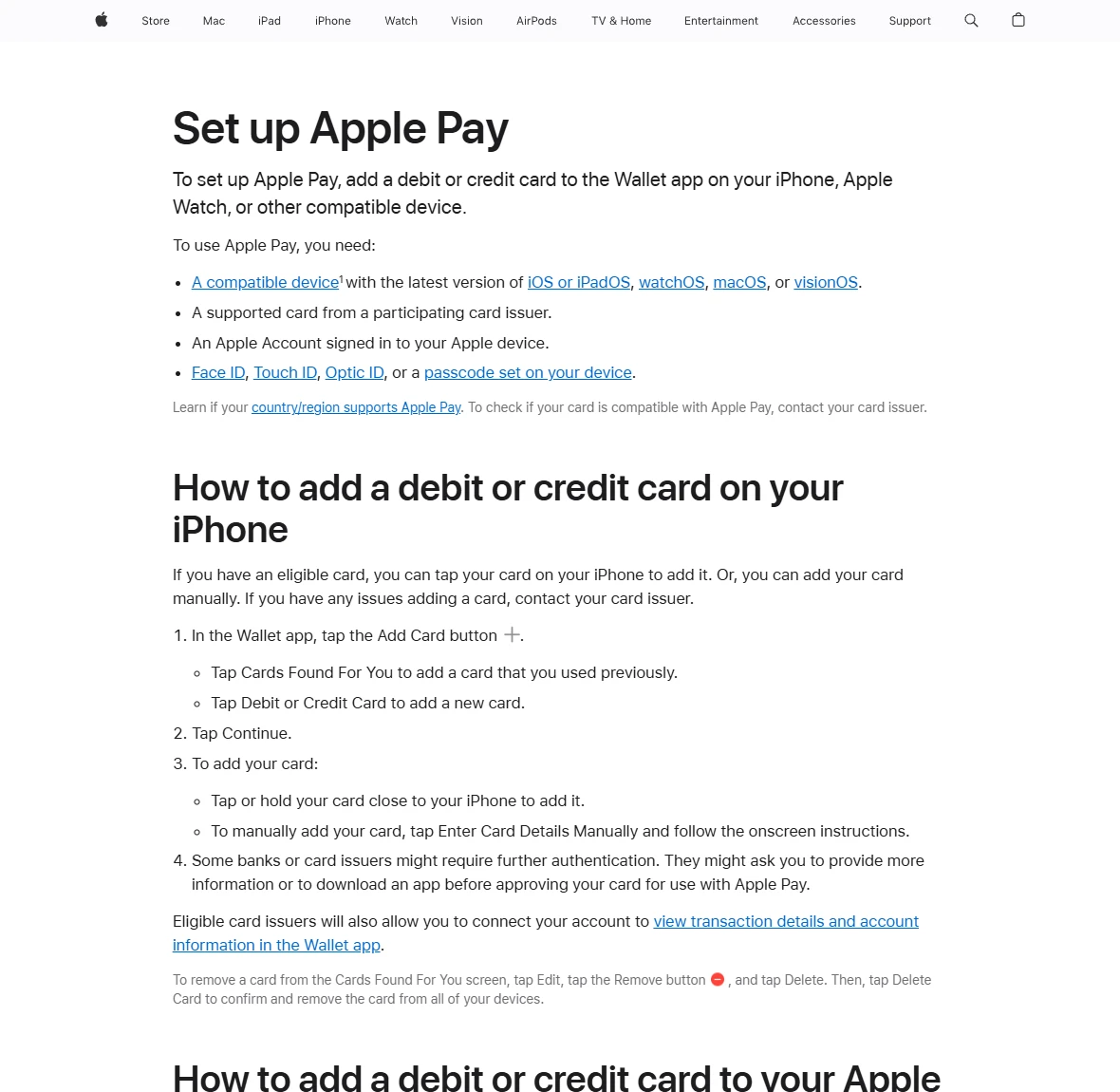
A virtual card has no plastic, so a phone wallet is the only way it reaches a shop till. Whether that works depends on the card's issuer, not on the app you got the card through. Apple's setup page lists the requirements plainly: a compatible device, a supported card from a participating card issuer, an Apple Account signed in, and Face ID, Touch ID or a passcode.
- Check the provider's help page for Apple Pay or Google Wallet support before you try; many state it in one line.
- On an iPhone, open Wallet and tap the add button, then Continue, and choose to enter the card details manually, since there's no physical card to hold near the phone.
- Complete the issuer's check, usually a code by text or a confirmation inside the provider's app.
- If the card won't add, ask the issuer. Apple's own advice for a card that can't be added is to contact the card issuer; the phone can't fix a card that isn't enrolled.
Once the card is in the wallet, the phone pays at contactless terminals like any other card stored there. Google Wallet on Android works along the same lines, with the same dependence on the issuer taking part.
Keeping a subscription from bouncing at renewal
A subscription needs the card to be there every month without you watching. Four habits keep that true:
- Use a reloadable card. A single-use number closes after the first charge, and a card locked to one merchant is fine only if it's locked to this one.
- Keep the balance above one full cycle a few days before the renewal date, not on the day itself.
- Note the card's expiry month next to the renewal date. When the card is replaced, give the merchant the new details yourself; some issuers pass new card details on to merchants automatically, but don't count on that with a prepaid card.
- Give each subscription its own card where the provider allows it. Cancelling then means closing one card, and a leaked number exposes one service instead of all of them.
The first renewal is the real test, not the first charge. Rehearsing it with a small amount before committing to an annual plan is covered in the guide to paying for AI tools, and the method works the same for any subscription.
Refunds, disputes and the day you close it
A refund goes back to the card that paid, as a new transaction that can take days to arrive, so the card has to be open when it lands. Before closing anything, check that the list of pending transactions is empty and that no refund is still on its way.
If a merchant won't put right something that went wrong, write to the merchant first, then to the card provider. A dispute on a card, prepaid ones included, is raised by the issuer through the card network, and the provider's support is where that starts. Keep the order confirmation, the emails and a screenshot of the charge; a dispute runs on them.
Closing cleanly takes four steps, in this order:
- Cancel every subscription attached to the card, on the merchant's side.
- Wait for pending holds and expected refunds to clear.
- Spend, move or withdraw the balance, whichever the provider's terms allow.
- Close or delete the card in the app, and remove it from any site that saved it.
A few questions people ask
- What billing address do I use for a virtual card?
- The one the card provider holds for that card, found in the card's settings or your profile in the app. It's often the address you registered with and sometimes one the provider assigns; either way it isn't automatically your delivery address.
- Can I use a virtual card in a shop?
- Only through a phone wallet, and only if the card's issuer supports Apple Pay or Google Wallet. There's no plastic to insert or swipe.
- Can one virtual card be used on several sites?
- A reloadable card can, like any card. A single-use number closes after its first charge, and a card locked to a merchant only works where it was first used. Many people still give each subscription its own card, so that cancelling one doesn't touch the rest.
- What happens to a subscription when the virtual card expires?
- The next renewal fails unless the merchant has the new details. Some issuers pass them on automatically, but with prepaid cards it's safer to update the merchant yourself before the expiry month.
Sources to check: this guide gives no fees or promises. Which wallets a card supports, where its billing address is kept and how refunds and withdrawals work are set by the provider's own help pages; how a merchant checks addresses and holds money is in its checkout notes. Updated 2026-09-12.
References
- Apple Support: set up Apple Pay
- Stripe Docs: place a hold on a payment method
- Opayo (Elavon UK): AVS/CV2 checks
Apple's page is written for cardholders; the Stripe and Opayo pages are written for merchants, and between them they show what a checkout does with your card. How your particular card behaves is the provider's question to answer.